This guide is independent and contains no paid placement. Microchip rules differ across the UK nations and databases change their fees and processes from time to time, so check the official guidance before you travel if anything here conflicts with the latest rules.
The microchip itself is the easy part: a tiny, passive implant that sits under the skin for life. The fragile part is the database record behind it. Before any UK trip, confirm the 15-digit chip number, confirm which database holds it, and confirm that the phone number, address and backup contact on that record are the ones you will actually answer while you are away. Do that one check and you turn a small piece of technology into a working reunion plan.
The chip stays, the details drift
A microchip does not fall out, run flat or lose signal, because it has no battery and no moving parts. That permanence creates a false sense of security. Owners assume that because the chip is still inside the dog, the system still works. In practice, the system that reunites dogs is not the chip alone. It is a chain with three links: the chip, the reader, and the database record. Break any one of them and the finder can hold your dog, scan it successfully, and still have no way to reach you.
The details drift quietly, and that is exactly why they are dangerous. People change mobile numbers when they switch contracts, move house, change surname after marriage, split up with a partner whose number was listed as the backup, or register the dog under a breeder, rescue or previous owner and never transfer the record into their own name. None of those changes affects the chip. All of them can defeat it. A warden who calls a disconnected number on a Friday evening, in a strange town, with a frightened dog in a kennel, has very little to work with. A second number that answers, or a current mobile that lights up at once, changes the whole outcome.
Travel makes stale details worse in specific ways. At home, neighbours know your dog, your vet knows your face, and a finder may walk the dog to a familiar door. On holiday, nobody knows either of you. The person who finds your dog is relying entirely on the tag, the collar, and the database. Your usual phone may be on silent during a long walk, out of signal on a coastal path, or flat after a day of navigation and photography. Your home landline is useless if nobody is there to answer it. That is why the pre-travel check should not just ask whether the record exists, but whether it works under holiday conditions: a mobile you carry, a backup contact who will answer, and an address that makes sense to a stranger.
There is also a timing trap. Owners often discover a problem only when it matters, which is the worst moment to fix it. Updating a database the night before departure leaves no margin for a forgotten password, a locked account, a record held under an old email address, or a database that needs a few working days to process a change. A check done two weeks before travel turns all of those into minor admin. A check done at the service station on the way to Cornwall turns them into a gamble. Build the chip check into the same week you check the car, the accommodation booking and the dog's food supply, and treat it as part of packing rather than an optional extra.
Finally, remember what a chip cannot do, because expecting too much from it leads to under-preparing in other ways. It cannot show where your dog is right now, cannot call you, cannot prove ownership on its own in every dispute, and cannot help at all if nobody scans the dog. The sections below therefore cover the chip check in full, and then the backup identification and lost-dog plan that sit around it. Think of the chip as the foundation, not the whole building.
What UK law actually requires
Microchipping for dogs is compulsory in most of the UK, and the core obligation is straightforward: a dog should normally be microchipped and registered on a compliant database, and the keeper's details on that database should be kept up to date. In England, Scotland and Wales, puppies are generally required to be microchipped by eight weeks of age, before they leave the breeder or the person who bred them. Northern Ireland has its own dog licensing and control arrangements, so owners travelling there should check the official guidance before you travel rather than assuming the rules are identical.
The legal duty does not end at implantation. Keepers are generally required to update the database when they move, change phone number, or take over a dog from someone else, and failure to keep the record current can lead to enforcement action, including a fine. The often-quoted figure for England is a fine of up to 500 pounds, but penalty levels, notice procedures and enforcement bodies can change, and the precise position depends on where you live and which rules apply to your dog. If you are unsure, check the official guidance before you travel and ask your vet or the database provider to confirm the current position for your circumstances.
Several practical points catch owners out. First, the legal keeper and the person walking the dog are not always the same person, and a record in a partner's, parent's or previous owner's name is still that person's record until it is formally transferred. Second, rescue dogs and rehomed dogs sometimes arrive with a chip registered to the rescue organisation, the breeder, or a previous keeper, and the new owner assumes the adoption paperwork completed the transfer when it did not. Third, dogs imported from abroad may carry a chip that is registered on a foreign database, or on no UK database at all, and a UK vet or warden may need help tracing it. In each case, the chip is present and the paperwork looks reassuring, but the legal and practical record points at the wrong person.
Breeders, sellers and rescue organisations also carry responsibilities around implantation and transfer, and buyers should receive the chip number and database details as part of the handover. If you bought or adopted a dog and never received those details, ask now rather than before your next trip. A polite email to the breeder or rescue, plus a scan at your vet, usually resolves it quickly. Keep the answer in writing, because a chip number copied by hand from a vaccination card can easily contain a transposed digit, and a single wrong digit can make the record unfindable.
Two further legal notes matter for travellers. A microchip is not a substitute for the other identification and control requirements that apply in public places, and it does not replace a collar and tag where those are required. Likewise, travelling with a dog to another part of the UK does not normally require new microchip paperwork, but moving home, changing keeper, or travelling internationally are different matters with their own rules. International travel in particular involves pet passports or animal health certificates, rabies vaccination and other checks that sit entirely outside this guide, so check the official guidance before you travel abroad and do not treat a UK database check as an international travel document.
The pre-travel checking list
Use this list as a single pass through the whole job, ideally two weeks before departure and again on the morning you leave. The first pass finds the problems; the second pass catches the phone you meant to charge, the tag you meant to replace, and the backup contact who has since gone on holiday themselves. Tick each item only when you have seen the evidence, not when you believe it should be true.
- Chip number confirmed. You hold the correct 15-digit number, ideally from a vet scan rather than from memory or an old card alone. The number on your paperwork matches the number the scanner reads.
- Database identified. You know which database holds the record, you can log in or contact it, and you know whether it is a UK-compliant database. If you cannot name the database, that is the first problem to solve.
- Mobile number current. The primary number is the mobile you will carry on the trip, it is switched on, and it can receive calls and texts in the places you are visiting. A landline alone is not enough on holiday.
- Address current. The registered address matches where you live now. If you have moved since registration and never updated it, fix that before you travel, even if the phone number is correct.
- Backup contact live. A second person who knows the dog, answers their phone reliably, and knows they are the backup is listed on the record. Tell them the trip dates and where you are staying.
- Keeper name correct. The record names the current keeper, not a breeder, rescue, previous owner or former partner. A transfer, if needed, is complete and confirmed in writing.
- Dog details accurate. Breed or type, colour, sex, age and any distinguishing notes on the record resemble the dog in front of you. Wardens use these details to match a found dog to a record when a scan is difficult.
- Tag and collar checked. The ID tag is legible, the phone number on it matches the database number, the collar fits, and a spare tag is packed. A worn tag with a faded number is no tag at all.
- Accommodation details shared. Your holiday address and a contact number for the stay are saved on your phone and, where the database allows it, noted as a temporary contact. The backup contact also has them.
- Local numbers saved. The nearest vet, the local dog warden service and the out-of-hours emergency vet for your destination are saved in your phone before you arrive, not searched for in a panic.
Work through the list in order, because the order is deliberate. There is no point updating a phone number on the wrong database, and no point adding a backup contact to a record that still names a previous owner. Chip number first, database second, keeper third, contact details fourth, and only then the collar, the tag and the holiday extras. If any step stalls, the stall itself is useful information: a database you cannot log into, a chip number nobody can find, or a transfer nobody completed are all problems that are far easier to solve from home, in daylight, with your vet on the phone, than from a lay-by on a wet Sunday evening.
Keep a small travel record once the check is done. A note on your phone with the chip number, the database name and phone number, the backup contact, and the accommodation address covers almost every conversation you might have with a vet, warden or finder. Photograph the registration certificate as well, and keep the photo somewhere you can reach it without mobile signal. Paper copies in the glovebox help when a phone battery dies, which is precisely when you tend to need them.
Finding the chip number and database
Start with the simplest source: your own paperwork. The chip number should appear on the registration certificate from the database, the vaccination record, the adoption or purchase paperwork, and often the vet's clinical notes. Compare two independent sources if you can, because a single transcription error is the most common reason a record appears to be missing. The number is 15 digits long and usually begins with the manufacturer code; count the digits rather than trusting that a familiar-looking string must be right.
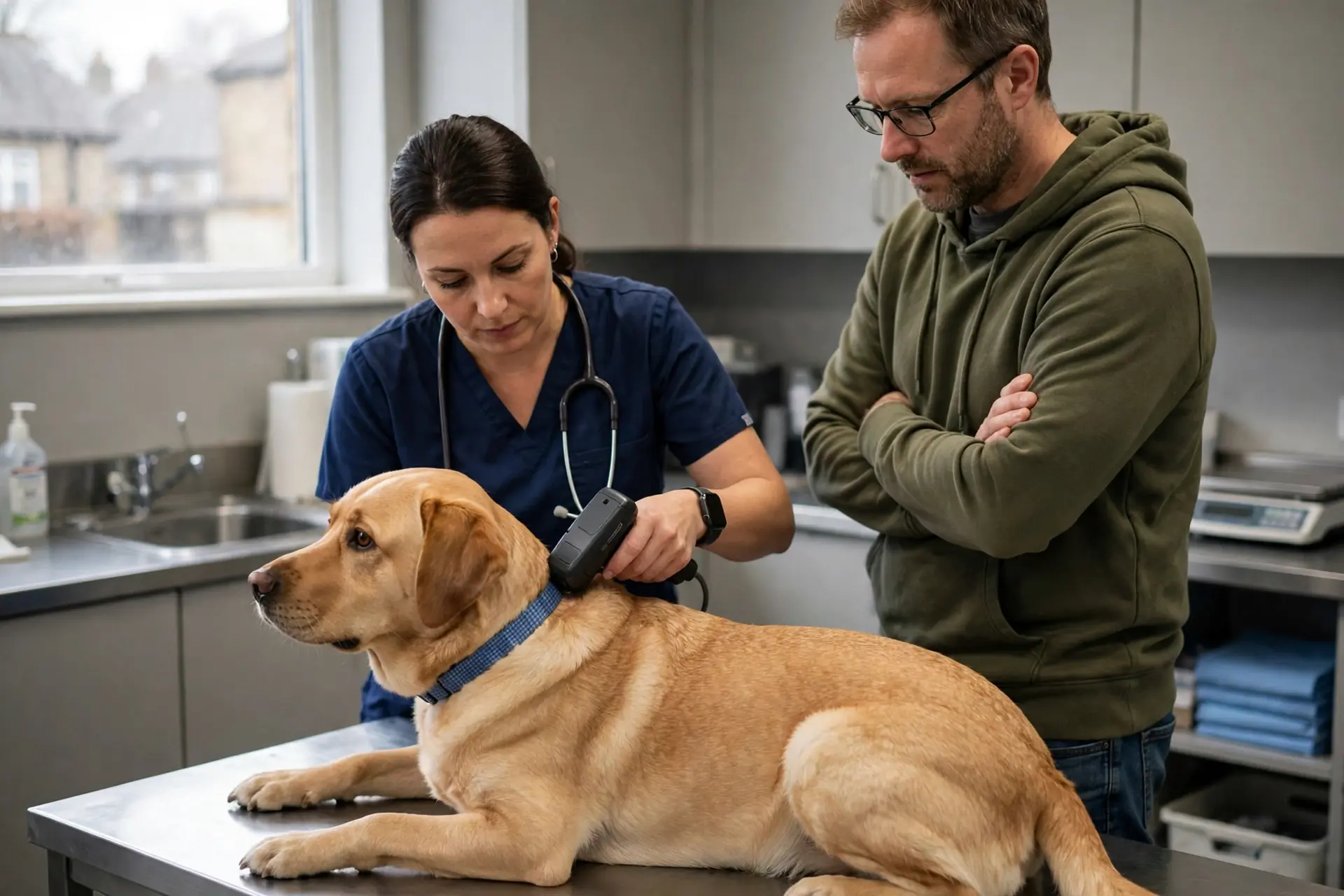
If the paperwork is missing, contradictory or suspiciously vague, book a scan. Any veterinary practice can read the chip in seconds with a handheld scanner, and many will do it as part of a routine appointment or a brief nurse visit. Ask the practice to write the number down for you and to check which database it points to, because the scanner reads the number, not the database. Some practices can also tell you whether the chip reads cleanly or needs a slow, careful pass, which is useful information in its own right and feeds directly into the scan-failure section below.
Once you have the number, identify the database. Most UK databases let you enter the chip number on their website to check whether they hold the record, and there are chip-checking services that point you to the right database for a given number. If the number returns no result anywhere, do not panic and do not assume the chip has vanished. The chip may be registered abroad, registered under a slightly different number, held on a database that has merged or changed name, or recorded with a digit transposed at implantation. Your vet can help trace manufacturer batches, and the database providers themselves can often search by owner name, dog name or old address when the number search fails.
Database mergers and rebrandings cause a surprising amount of confusion. A database that held your dog's record five years ago may now trade under a different name, operate through a partner, or have transferred records to another provider. Old login details may no longer work even though the record still exists. In that case, contact the provider through its current website or phone number, explain that you hold an older certificate, and ask them to locate the record before you create a duplicate. Duplicate records on two databases are not harmless: a finder may contact one database, be told there is no match, and stop looking, even though the other database holds the correct details.
Finally, check whether the record is marked in any special way. Some databases let you flag a dog as lost, add a note that the dog is on holiday, record a temporary address, or store a photograph and a description. Those features vary widely and none of them replaces the core contact details, but a lost flag or a clear description can speed up a match considerably. Ask your provider what it offers, use what is genuinely useful, and do not pay for add-ons you do not understand. The essential service is simple: a correct number, a correct keeper, and a phone number that answers.
Updating the record, step by step
Updating a record is usually a short online task, but the exact steps depend on whether you can log in, whether you are the registered keeper, and whether the change is a simple phone-number edit or a full transfer of keepership. Work through the steps below in order and keep written confirmation at each stage.
Step one: recover access. Log in to the database using the email address you registered with. If you have forgotten the password, use the reset link and check spam folders as well as the inbox, because database emails are sometimes filtered aggressively. If you no longer control the registered email address, contact the provider directly: most will verify your identity through the vet, the chip number, proof of address, or the adoption paperwork, although this route takes longer than a password reset. Do not create a second record under a new account before the provider has found the original, for the duplicate-record reason given above.
Step two: correct the keeper, if needed. If the record still names a previous owner, breeder or rescue, complete the formal transfer before changing phone numbers. Transfers often require the current registered keeper's agreement, a signed form, or confirmation from the vet, and some providers charge a fee for the transfer. If the previous keeper cannot be reached, ask the provider what evidence it accepts instead, such as adoption paperwork, a bill of sale, or a veterinary declaration. Start this process early, because it is the step most likely to need a human being and a few working days.
Step three: update the contact details. Change the mobile number, address and email address to the ones you use now, and add or confirm a backup contact who has agreed to be listed. Read every field before saving, including fields that look unimportant: a second address line, a county, a postcode and a country field can all mislead a warden if they point at an old house. Save the change, then log out and log back in, or request a fresh copy of the record, and check that the saved version is the version you intended. Screenshots are useful, but a confirmation email or a downloadable certificate is better evidence.
Step four: allow time and verify. Most online updates take effect quickly, but allow a full week before travel and treat the confirmation, not the submit button, as proof. If you updated by post, through a vet, or as part of a transfer, allow longer. If the provider says the change is pending, ask what pending means in practice: can a warden still see the old number, the new number, or both? If in doubt, carry both numbers on the dog's tag and tell your backup contact to expect calls on either.
Step five: understand the fees. Some databases charge nothing for basic updates, some charge a small one-off fee for a change of keeper or address, and some offer lifetime or premium packages that bundle unlimited updates. Fees vary by provider and by the type of change, and they change over time, so check the official guidance before you travel or the provider's current price list rather than relying on a figure quoted in an old article. Never pay a third-party website that claims to update your record for an inflated fee when the database itself offers the same update directly; if a site looks unofficial, go to the database provider's own website instead. Keep receipts for any fee you pay, because a payment record helps resolve disputes about whether an update was ever submitted.
One more caution applies to the update itself. Changing details online is easy, which makes it easy to do carelessly. Update from a device you trust, on a connection you trust, and double-check the digits of the new phone number character by character. A single wrong digit in a new mobile number is worse than an old number you recognise, because at least the old number might reach a former housemate who knows how to find you. After saving, ring the new number from another phone to confirm it is yours, and ask your backup contact to confirm they received any verification message the database sent them.
How a chip brings a dog home
The reunion chain is reassuringly simple once you see it end to end. A finder takes the dog to a vet, a rescue centre, a dog warden or a police station. Someone scans the dog, usually between the shoulder blades where chips are normally implanted, and reads the 15-digit number. They contact the database that holds that number, or a central lookup service, and the database contacts the keeper using the details on the record. The keeper collects the dog, proves ownership if asked, and the chain closes. Every link matters, but the database contact details are the only link you control entirely from home, which is why this guide spends so much time on them.
Wardens and vets follow their own procedures, and those procedures affect how quickly you hear anything. A dog found straying is normally reported to the local authority dog warden service, which has legal duties around stray dogs, kennelling and holding periods. The holding period, the fees for kennelling and release, and the point at which a dog can be rehomed vary by area and circumstance, so check the official guidance before you travel if you want the precise position for your destination. The practical message is the same everywhere: report quickly, answer your phone, and do not assume the system will wait for you. A dog whose keeper answers within the hour is a dog going home; a dog whose keeper cannot be reached for days is a dog entering a formal process that becomes harder to reverse.
What you should do as the keeper, in the first minutes after you realise the dog is missing, is covered in detail in the timeline section below. The short version is: search near the last known point first, because many lost dogs stay close or circle back; alert the database and mark the record as lost if that option exists; and notify local vets, wardens and rescue centres with a clear description, a recent photograph and the chip number. Social media and lost-dog alert services can help enormously, but they work best alongside the official route, not instead of it. A viral post without a chip check leaves the finder with sympathy and no phone number, while a chip check without a local search leaves the dog wandering while everyone waits for a phone call.
It is also worth understanding what a chip does not prove. A chip record is strong evidence of keepership, but ownership disputes, especially after a sale, a separation or a rehoming that went wrong, can involve paperwork beyond the chip: purchase receipts, adoption agreements, veterinary records and, in rare cases, legal advice. Keep those documents with your travel records, and make sure the name on the chip record matches the name on the adoption or purchase paperwork. If the two disagree, resolve the disagreement before you travel, while everyone involved is reachable and cooperative.
Our step-by-step guide to a lost dog on holiday in the UK covers the search, the alerts and the prevention measures in more detail, and it is worth reading alongside this checklist before a first trip to an unfamiliar area. The two guides complement each other: this one makes sure the chip works, and that one makes sure the hours after a loss are spent on the actions most likely to bring the dog back.
Why scans sometimes fail
Scan failures are uncommon, but they happen often enough that a pre-travel scan is worth the few minutes it takes. The most common cause is migration. Chips are normally implanted between the shoulder blades, but they can move over time, sometimes down a shoulder, along the neck, or towards the chest. A quick wave of the scanner over the usual spot can miss a chip that a slow, methodical full-body scan would find. Older dogs, very active dogs and dogs implanted as tiny puppies are all slightly more likely to have a migrated chip, and a dog that has gained or lost a lot of weight since implantation can also be harder to scan cleanly.
The second common cause is reader compatibility. The UK uses ISO-standard 134.2 kHz chips, and modern universal readers handle them well, but very old chips, chips implanted abroad to a different standard, and chips from manufacturers that have since disappeared can be harder for some readers to pick up. A chip that reads perfectly on your vet's modern scanner may read less reliably on an older handheld device, and vice versa. This is not a reason to replace a working chip, which is a veterinary decision with its own risks, but it is a reason to ask your vet which standard your dog's chip follows and to note that on your travel record.
Technique and equipment cause the rest. A scanner with a low battery, a scanner passed too quickly, a thick winter coat, a wet coat, metal nearby such as a crate door or a tag, and a frightened dog that will not stand still can all degrade a read. Experienced scanners compensate by scanning slowly, in overlapping passes, over the whole body, away from metal, and repeating the pass if the first attempt fails. If your vet ever reports a weak or intermittent read, ask them to record that fact and to advise whether a re-scan at the next appointment, a note on the database record, or a veterinary assessment is appropriate. Do not attempt to scan or handle an implanted chip yourself.
There is one failure mode that is entirely within your control and entirely avoidable: the chip that was never registered. Implantation without registration is more common than owners expect, particularly when a puppy changes hands quickly, when a breeder implants a whole litter and the paperwork lags behind, or when an imported dog arrives with a chip and no UK registration. A scan at your vet settles the question in seconds: a number with no database behind it is a registration job waiting to happen, not a working safety net. Register it before you travel, keep the confirmation, and then run the rest of this checklist as normal.
Finally, chips can in rare cases fail outright or become unreadable after injury, surgery or illness. This is uncommon, and a vet is the right person to assess it, but the possibility is another reason to keep backup identification current. A dog with a failed chip and a current tag is still findable. A dog with a failed chip and a faded tag from three addresses ago is relying on luck. The backup section below is not a counsel of despair; it is the cheap insurance that covers every failure mode at once.
Backup identification on the road
A collar tag remains the fastest reunion tool ever invented, because it needs no scanner, no database and no phone signal on the finder's side. Anyone who finds your dog can read it and ring you directly. The tag should carry your mobile number, and ideally a second number, in characters large enough to read in poor light and on a wet tag. Check the engraving before every trip: tags wear smooth, especially on active dogs that swim, dig and roll, and a tag that was legible last summer may be a polished blank this year. Carry a spare tag, and consider a slide-on tag that sits flat on the collar as well as a hanging tag, so that losing one does not leave the dog unidentified.
What to put on the tag deserves a moment's thought. Your mobile number is essential. Your surname and the word "microchipped" help a finder understand that a vet visit is worthwhile even if the phone is unanswered. Your home address is optional and many owners now leave it off, particularly on a tag that will be seen by strangers on holiday; a mobile number plus the fact of microchipping is usually enough for a finder to reach you or a vet. If your dog has medical needs, such as epilepsy medication or a severe allergy, a short note on the reverse of the tag or on a separate medical tag can help a finder or vet act safely, but keep it brief and legible rather than cramming a medical history onto a disc the size of a coin.
GPS trackers are the popular modern backup, and they genuinely help in the first hours after a loss, but they complement a chip rather than replacing it. A tracker shows live or recent location while its battery lasts, its subscription is active, and it has mobile or satellite signal; it goes dark in deep valleys, dense woodland, some buildings and anywhere the battery dies. Trackers also fall off, get chewed, run out of charge on day three of a walking holiday, or report a location that is accurate to a field rather than a hedgerow. Use one if it suits your dog and your walking style, charge it nightly, test it before departure, and keep the chip and tag current regardless. The tracker finds the dog faster; the chip and tag bring the dog home when the tracker cannot.
Other backups are worth packing even though they sound old-fashioned. A recent, clear photograph of your dog from the side and the front, showing markings, size and coat, helps wardens, vets and social media alerts far more than a flattering portrait in which the dog is a blur of joy. A short written description with breed or type, colour, size, sex, age, distinguishing marks and temperament saves you from trying to write it accurately while upset. Keep both on your phone and share them with your backup contact before departure. If your dog wears a harness with a name patch, make sure the patch number matches the current mobile, because patches outlive phone contracts just as tags do.
When you choose accommodation, the backup plan extends to the property itself. A dog-friendly holiday park in the UK with a genuinely enclosed garden, a gate you have checked yourself, and a quiet corner for settling in reduces the chance that any of this identification is ever needed. Walk the boundary on arrival, check gates and gaps before unloading, and note where the dog will toilet after dark. Identification gets a lost dog home; a secure base stops the dog becoming lost in the first place, and the two together are worth far more than either alone.
The first 24 hours if a dog goes missing
The timeline below assumes you have already run the pre-travel checklist, so the chip record is current, the tag is legible and the backup contact knows the plan. If you have not run the checklist, do the same steps anyway and fix the record in parallel, because a search that waits for admin is a search that loses ground.
First 30 minutes: stay close and search smart. Return to the exact spot where the dog was last seen and stay there or nearby, because many dogs circle back to the last known point, especially if they became lost while following a scent or chasing wildlife. Search on foot, quietly and calmly, calling in a familiar voice rather than shouting, and leave a familiar-smelling item such as a blanket or a worn jacket at the spot if you must move on. Ask nearby walkers, dog owners and staff whether they have seen the dog, and note the time, direction and behaviour reported. Do not chase a sighted dog, which usually makes it run further; instead, crouch, stay calm and let the dog approach if it will.
First two hours: alert the official route. Telephone the database and mark the record as lost if that option exists. Contact the local dog warden service and every veterinary practice within a reasonable radius, giving the chip number, a description and a recent photograph. Notify the police on the non-emergency number if the circumstances suggest theft or a road incident, and contact nearby rescue centres and kennels. Tell your accommodation host or park reception, because staff, cleaners and other guests often spot a loose dog before any official body does. Keep a log of every call: who you spoke to, when, and what they promised to do.
Hours two to six: widen the net. Post on local lost-dog alert services and community groups with a clear photograph, the area, the time last seen, the chip status and a contact number, and ask people to share rather than chase. Print or share a simple poster if you are staying locally, and place it at vets, shops, trailheads and your accommodation. Return to the last known point at dusk, when lost dogs often move, and search again quietly. Keep your phone charged and answered: a finder who gets voicemail twice may take the dog to a kennel rather than trying a third time, and your backup contact should be answering their phone too.
Hours six to 24: sustain the search without burning out. Re-contact the warden, vets and rescue centres in the morning, because overnight admissions are processed then and a dog handed in late may not appear on any list until the next working day. Expand the radius methodically rather than randomly, following waterways, footpaths and woodland edges where a dog is likely to travel, and check with farms, stables and landowners nearby. Keep the database record flagged as lost, keep the social posts updated with any sightings, and keep the accommodation informed so staff can pass on reports while you are out searching. Eat, rest and rotate searchers if you can: a tired, distressed owner searches worse, not better, and the second day often brings the sighting the first day missed.
Beyond 24 hours, the same structure continues with a wider radius and a longer memory: repeat the official calls daily, refresh the posters and posts, and keep the chip record current if your own contact details change during an extended stay. Dogs have been reunited after days, weeks and longer, often because a chip scan finally happened at a vet or rescue centre far from the original loss. That is the quiet power of the check this guide began with. The search may take days, but the reunion, when it comes, takes minutes, and it starts with a phone number that answers.
Practical questions
Before you go
Is microchipping legally required for dogs in the UK?
Yes, in most of the UK dogs must be microchipped and registered on an approved database, normally by eight weeks of age, and keepers must keep the registered details up to date. The exact rules and enforcement differ between England, Scotland, Wales and Northern Ireland, so check the official guidance before you travel.
How do I find out which database holds my dog's chip?
Ask your vet to scan the chip and read the 15-digit number, or check your registration certificate and any paperwork from the implanter. Enter the number on a chip-checking service or contact the database directly; if the chip was implanted abroad or transferred between owners, the trail may need a vet's help to untangle.
How long does a microchip update take to go live?
Most online updates take effect quickly, often within minutes or a few working days, but allow a full week before travel and keep written confirmation. If you update by post or through a vet, allow longer and do not assume the change is live until the database confirms it.
Does a microchip work like a GPS tracker?
No. A microchip carries no battery and cannot be tracked in real time. It only identifies the dog when someone scans it with a compatible reader and then contacts the database. A GPS tracker is a separate device that can show live location while its battery and signal last.
What should I do first if my dog goes missing on holiday?
Stay near the last known location, search calmly, and alert the database, local vets, the dog warden and nearby rescue centres as soon as possible. Mark the chip record as lost if your database offers that option, and keep your phone charged and switched on so a finder or warden can reach you straight away.
Can a microchip fail to scan, and what causes that?
Yes, although it is uncommon. Chips can migrate from the usual scanning site, older or non-standard chips can be harder for some readers to pick up, and interference or a low reader battery can cause a missed read. A slow, methodical full-body scan by an experienced handler usually resolves most problems.